The Ultimate Guide to AOMEI Backupper Professional Edition’s Lifetime Subscription
In an era where data is invaluable, ensuring its protection is paramount. AOMEI Backupper Professional Edition offers a lifetime subscription that provides comprehensive backup solutions to safeguard your data. Here’s everything you need to know about this powerful tool and why it’s a must-have for data protection.
1. One-Time Payment for Lifetime Access
One of the most attractive features of AOMEI Backupper Professional Edition’s lifetime subscription is the one-time payment model. Instead of dealing with recurring fees, you make a single payment and gain access to all the features and future updates for life. This not only simplifies budgeting but also ensures you always have the latest tools at your disposal.
2. Comprehensive Backup Solutions
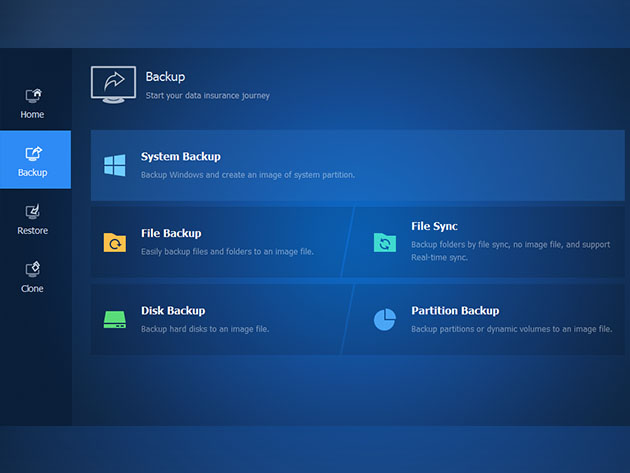
AOMEI Backupper Professional Edition offers a wide range of backup options to meet all your needs:
- System Backup: Create a full system image to protect your operating system and applications.
- File Backup: Back up individual files and folders to ensure important data is never lost.
- Disk Backup: Clone entire disks, including all partitions and data.
- Partition Backup: Back up specific partitions to safeguard critical data.
These comprehensive solutions ensure that all aspects of your data are protected, giving you peace of mind.
3. Easy-to-Use Interface
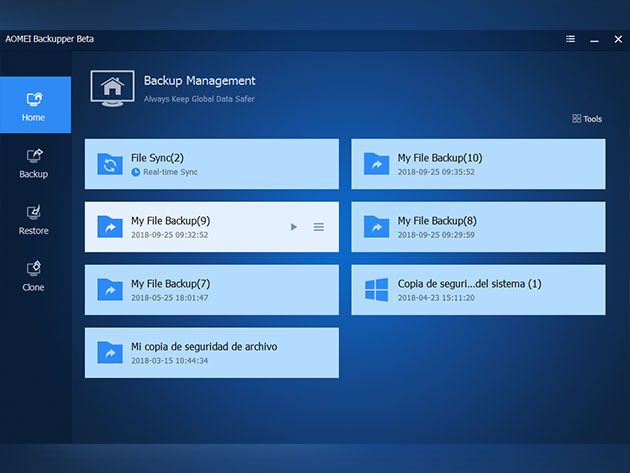
AOMEI Backupper is designed with user-friendliness in mind. Its intuitive interface makes it easy for users of all skill levels to navigate and utilize its features. With step-by-step wizards and clear instructions, you can set up and manage backups effortlessly.
4. Advanced Cloning Features
Cloning is an essential feature for upgrading or replacing hard drives. AOMEI Backupper Professional Edition offers advanced cloning capabilities, allowing you to clone disks and partitions with ease. This feature is particularly useful for migrating to a new SSD or creating a duplicate of your system for redundancy.
5. Reliable Data Recovery
In the event of data loss, AOMEI Backupper provides reliable recovery options. You can restore your system, files, or partitions to their previous state with just a few clicks. This ensures that you can quickly recover from data loss incidents and minimize downtime.
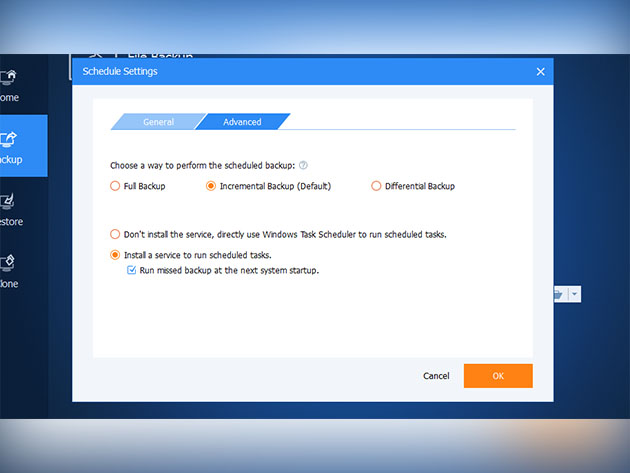
6. Scheduled and Incremental Backups
AOMEI Backupper allows you to schedule regular backups, ensuring that your data is always up-to-date. Additionally, incremental and differential backups help save storage space by only backing up changes since the last backup. This efficient approach ensures that your backups are both comprehensive and space-saving.
7. Enhanced Security Features
Security is a top priority when it comes to data protection. AOMEI Backupper includes features such as encryption and password protection to keep your backups secure. These measures ensure that your sensitive data is protected from unauthorized access.
8. Multi-language
supports English, Français, Deutsch, 日本語, Simplified Chinese and Traditional Chinese.
Conclusion
AOMEI Backupper Professional Edition’s lifetime subscription offers a robust and cost-effective solution for data protection. With a one-time payment, you gain access to comprehensive backup and recovery features, advanced cloning capabilities, and enhanced security measures. The user-friendly interface and reliable performance make it an essential tool for anyone looking to safeguard their data. If you’re serious about data protection, AOMEI Backupper Professional Edition’s lifetime subscription is the ultimate choice.