In an era where visual content reigns supreme, having the right tools to enhance and transform your video and image files is crucial for content creators, video editors, and anyone involved in digital media production.
Enter VideoProc Converter AI, a comprehensive video processing software that promises to elevate your videos and images to cinema-grade quality.
Let’s dive into what makes VideoProc Converter AI a must-have in your digital toolkit.
Unmatched AI Video and Image Enhancement
VideoProc Converter AI stands out with its advanced AI-driven capabilities to enhance video quality. Whether you’re dealing with low-resolution archives, blurry clips, or heavily compressed downloads, VideoProc’s AI tools can upscale, repair, and enhance your footage. By implementing cutting-edge AI models, it significantly improves video clarity, sharpness, and detail with features like auto denoising, deblurring, and texture enhancement focusing on intricate details like skin and hair.
High-Quality Up-scaling and Frame Rate Boosts
Aspiring for higher resolution? VideoProc allows users to upscale videos from standard definitions like 720p to 1080p, 2K, or even 4K without losing the natural essence of the footage. Besides enhancing videos, VideoProc Converter AI also up-scales images and AI-generated arts up to impressive 8K or 10K resolutions, adding even more detailed intricacy.
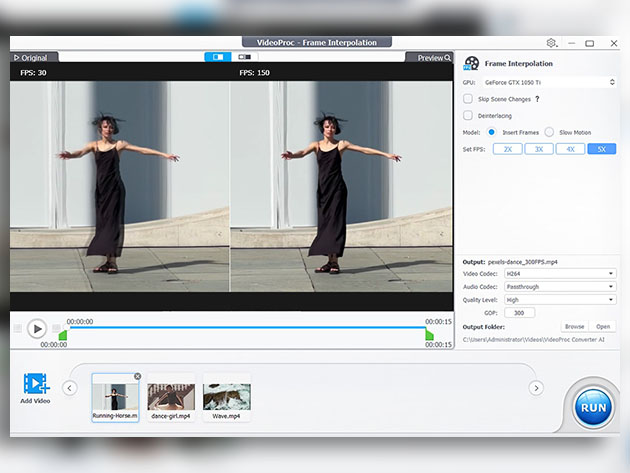
Moreover, the software enhances the smoothness of videos by boosting their frame rates up to 60 or 120 fps and beyond, ensuring your footage looks seamless and highly professional. It also offers stabilization features perfect for shaky videos from action cams like GoPro, various drones, and handheld cameras.
Versatile Media Conversion and Editing
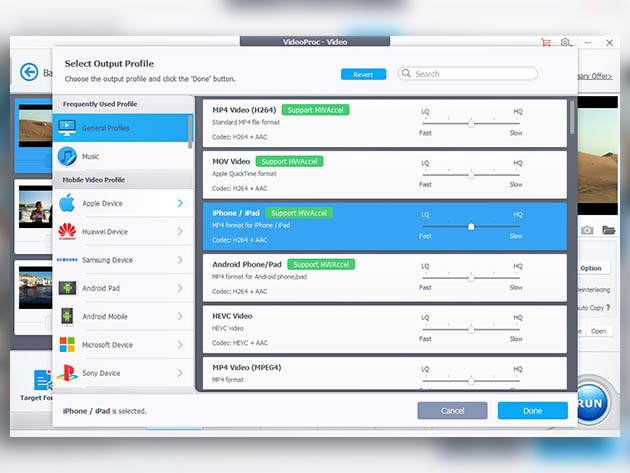
Beyond enhancement, VideoProc Converter AI excels in versatility. It supports converting videos and audio across more than 420 output profiles, ensuring compatibility with virtually all devices and platforms. The software can easily switch video to audio, adjust codecs, bit rate, and numerous other settings.
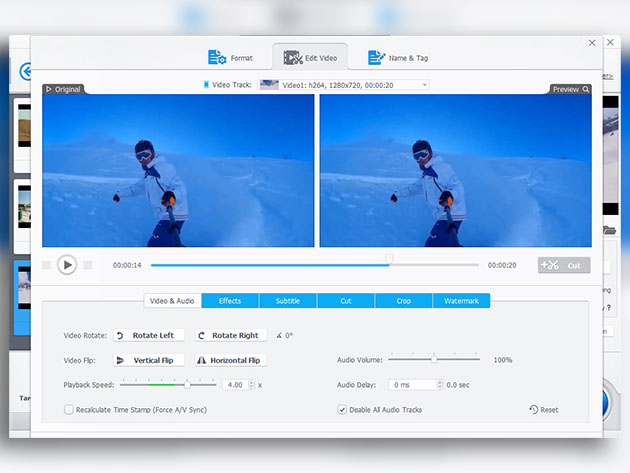
Editing tools are also robust in VideoProc. Users can cut, crop, rotate, add effects and subtitles, or adjust the playback speed of their footage. This suite of editing options is complemented by the capability to back up and digitize DVDs to MP4, making old physical media accessible on modern devices.
Additional Features for Comprehensive Media Handling
One of the standout offerings of VideoProc is how it consolidates numerous media tasks into a single platform. This includes compressing large videos, creating GIFs, removing fisheye distortions, and saving online media content from thousands of sites.
For those involved in gaming, webinars, or live streams, VideoProc’s screen recording capabilities capture everything from gameplays to live events with options for webcam inclusion. Coupled with Level-3 hardware acceleration, the software ensures all tasks, particularly those involving large-sized or 4K videos, are processed smoothly and swiftly.
Conclusion
VideoProc Converter AI is not just a video editing software; it’s a comprehensive media enhancement suite equipped to tackle various challenges in the media production space. Whether you are a professional video editor, a content creator, or just someone looking to improve their digital media files, VideoProc offers a rich set of features that push the boundaries of quality and efficiency.